
Connection settings
Settings that apply to a single marketplace connection: name, prefix, credentials, per-connection order import options, FBA/FBB, order tags, tax, stock locations, price sync and matching method.
B
Written by Boaz
Updated October 29, 2026
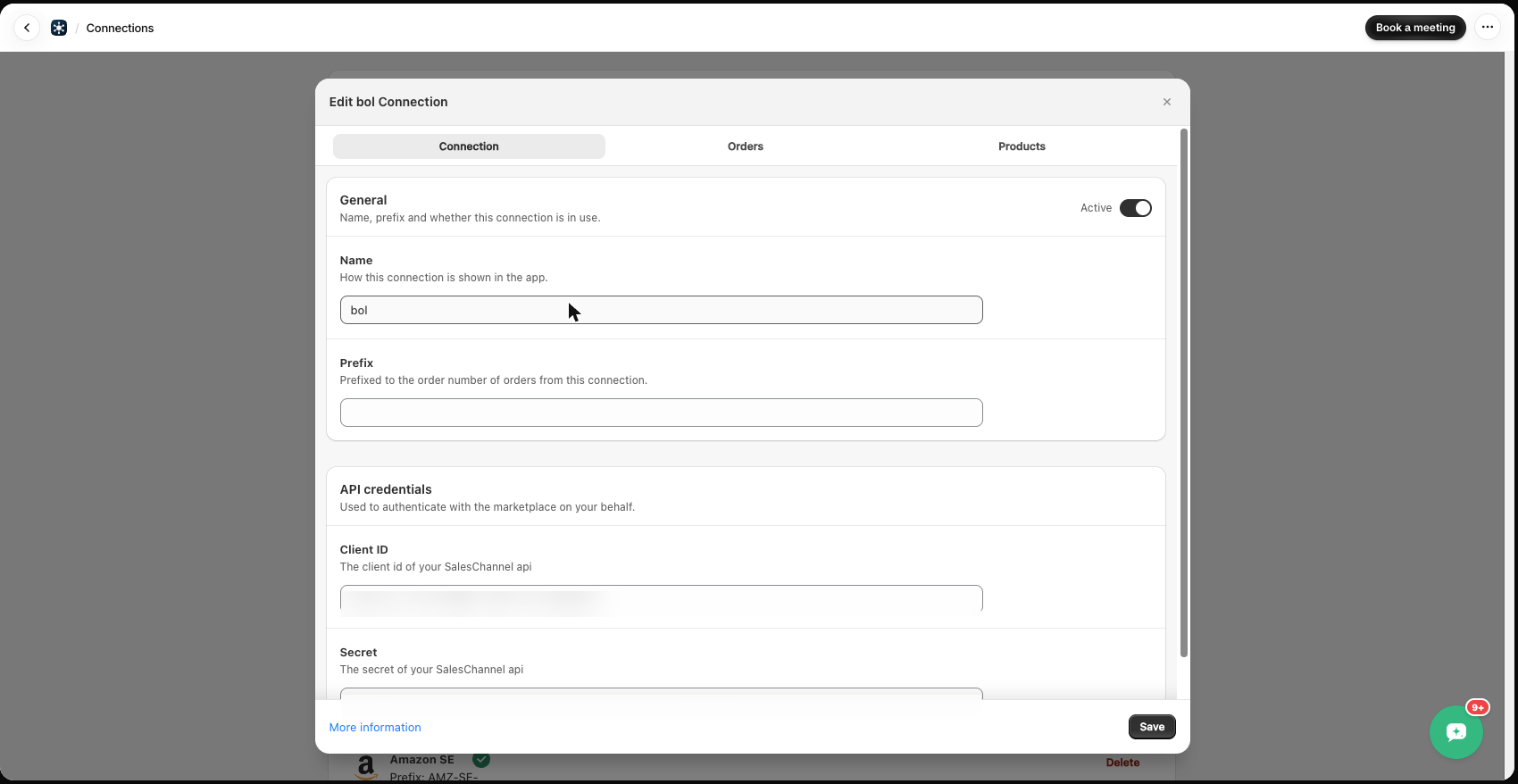
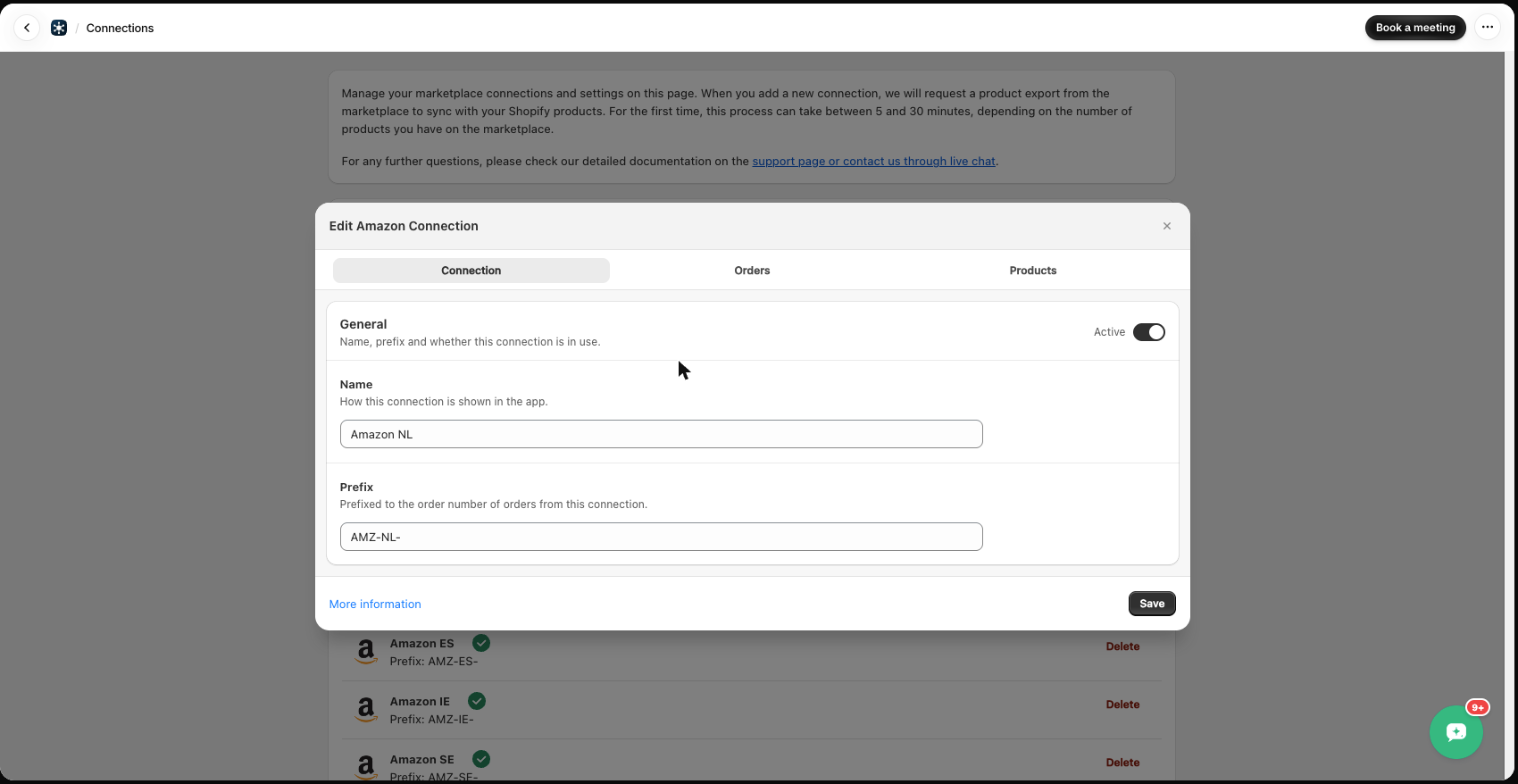
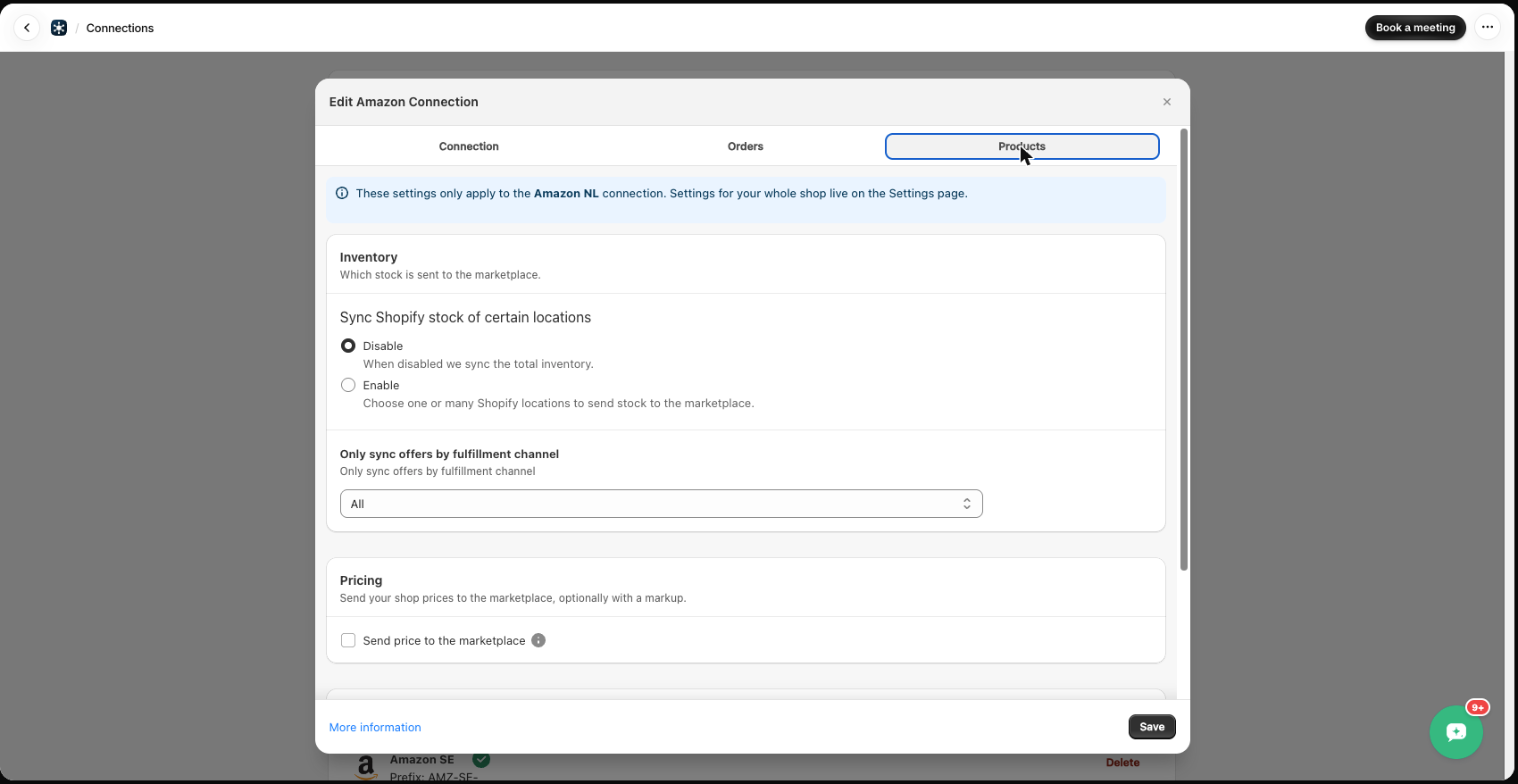
Some settings apply to one marketplace connection only. Open Connections, click the connection and use the three tabs. Click Save when done.
Connection
- Active – switch a connection off without deleting it.
- Name – how this connection is shown in the app.
- Prefix – added in front of the order number when Marketplace order name is selected in Settings, e.g. AMZ-NL-.
- API credentials – client ID and secret (bol.com, CDiscount, …). Amazon connections are authorized through Amazon and have no credential fields here.
Orders
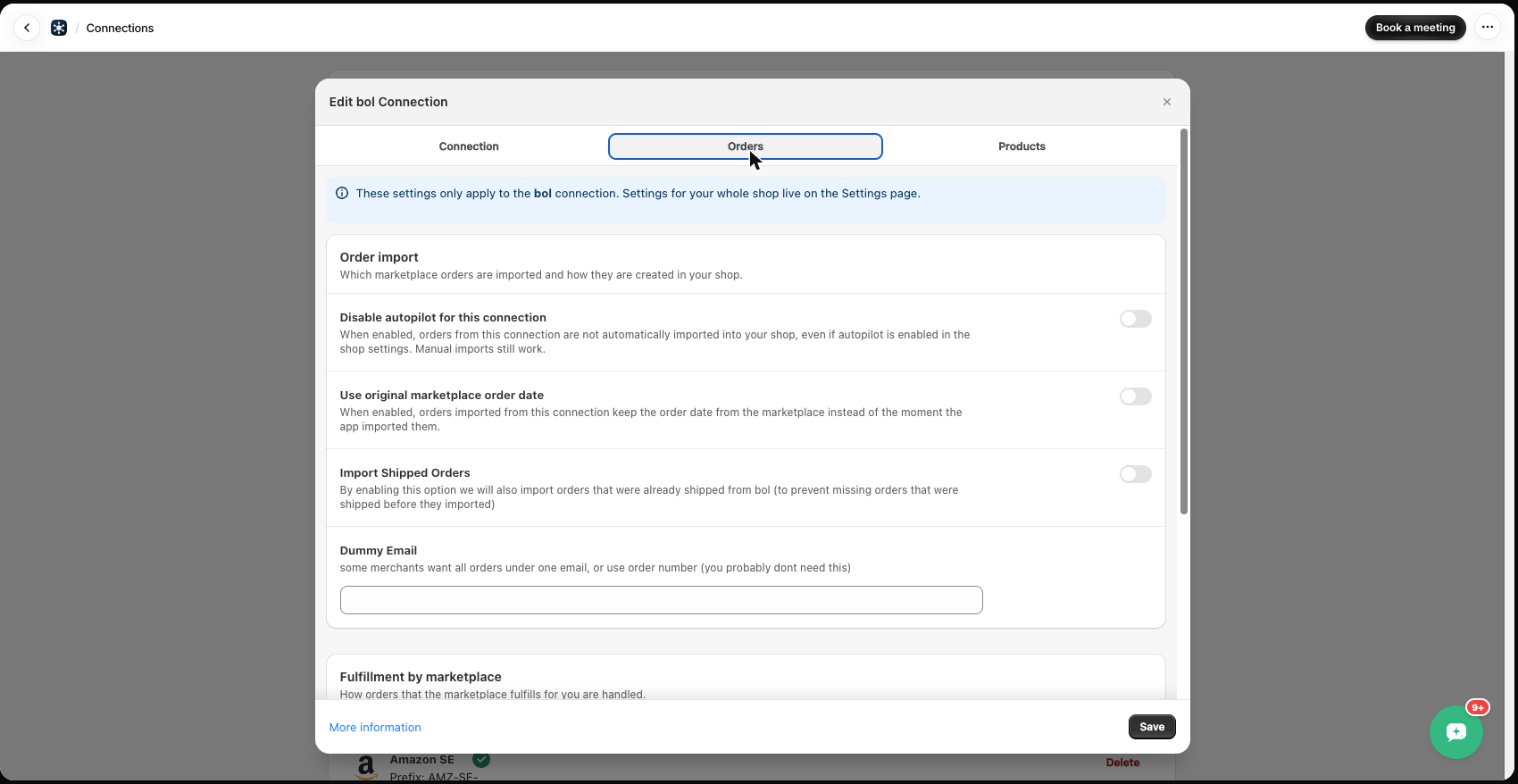
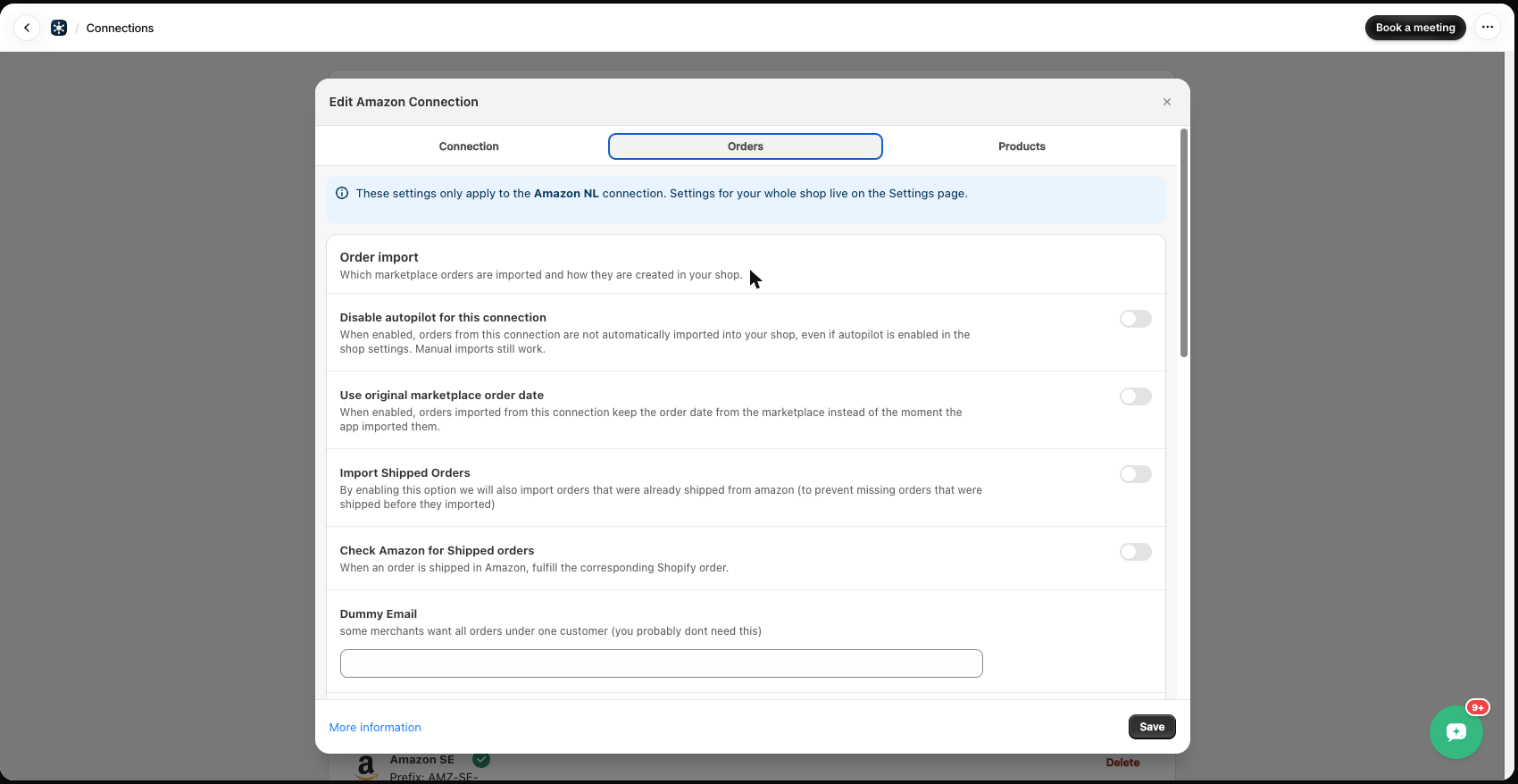
- Disable autopilot for this connection – orders from this connection are not imported automatically, even if Autopilot is on. Manual imports still work.
- Use original marketplace order date – keep the marketplace order date instead of the import moment.
- Import Shipped Orders – also import orders that were already shipped on the marketplace. See Import shipped orders.
- Check Amazon for Shipped orders (Amazon) – when an order is shipped in Amazon, fulfill the corresponding Shopify order.
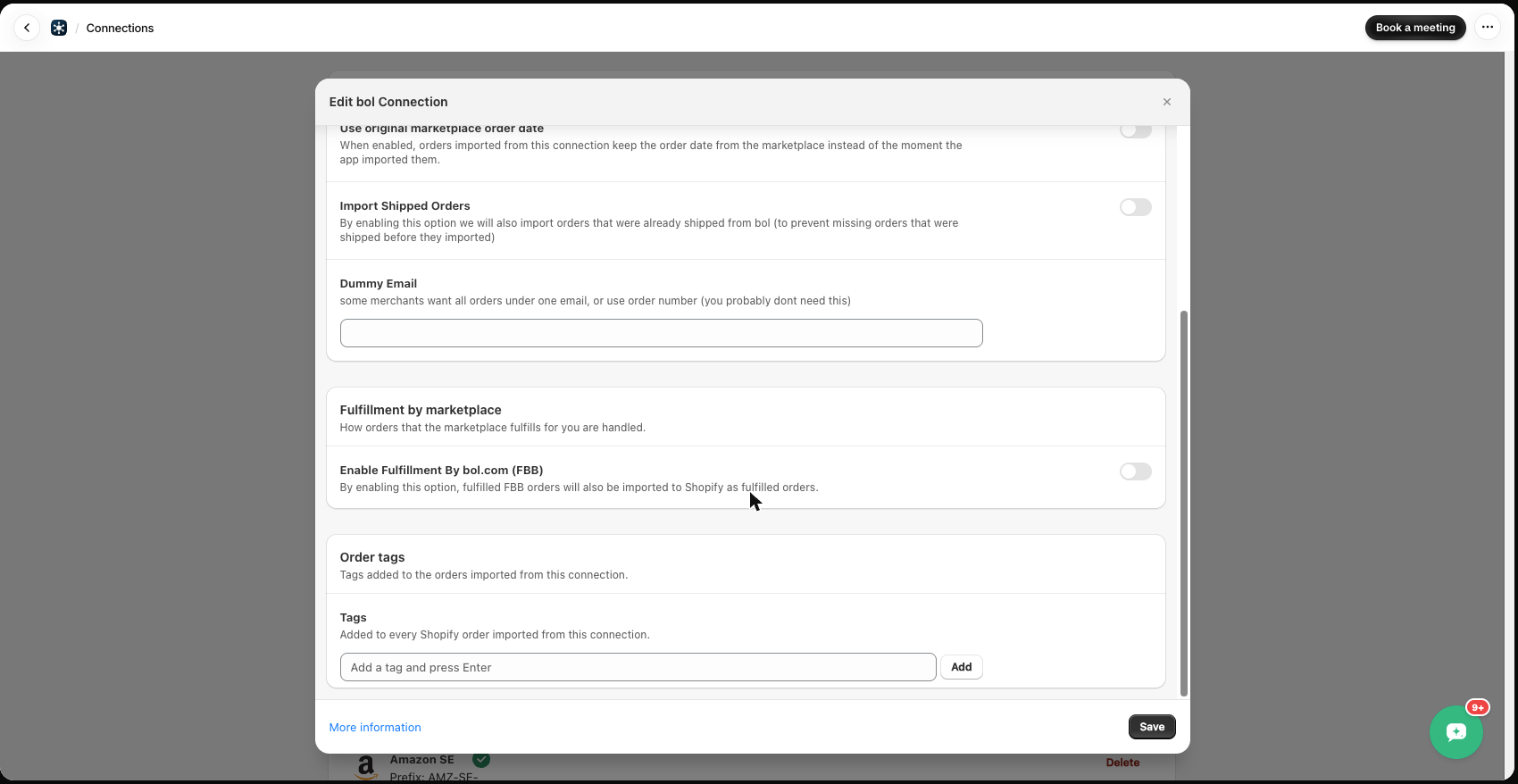
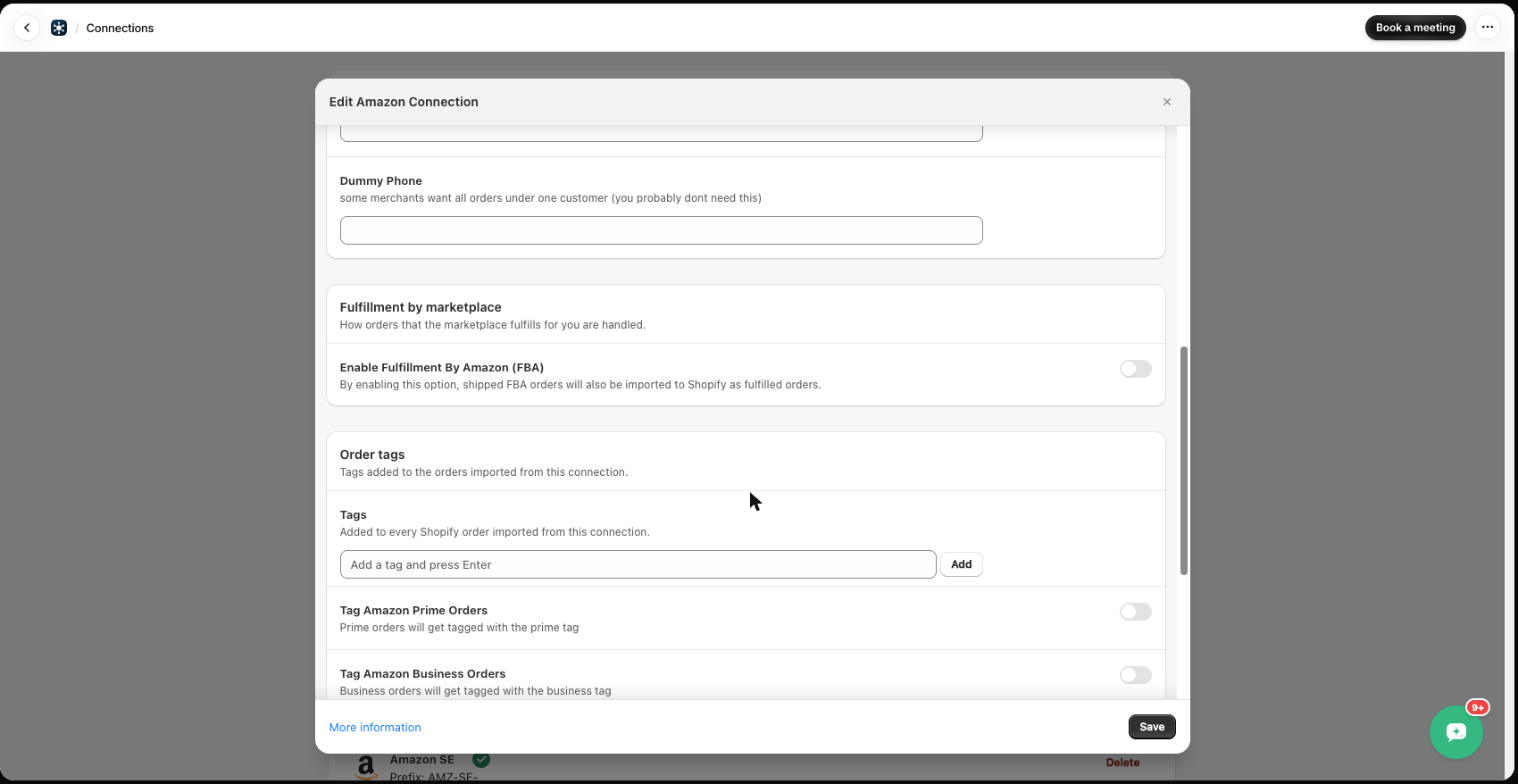
- Dummy Email / Dummy Phone – put all orders from this connection under one customer. Most merchants don’t need this.
- Enable Fulfillment By Amazon (FBA) / bol.com (FBB) – also import orders the marketplace fulfills for you, as fulfilled orders in Shopify.
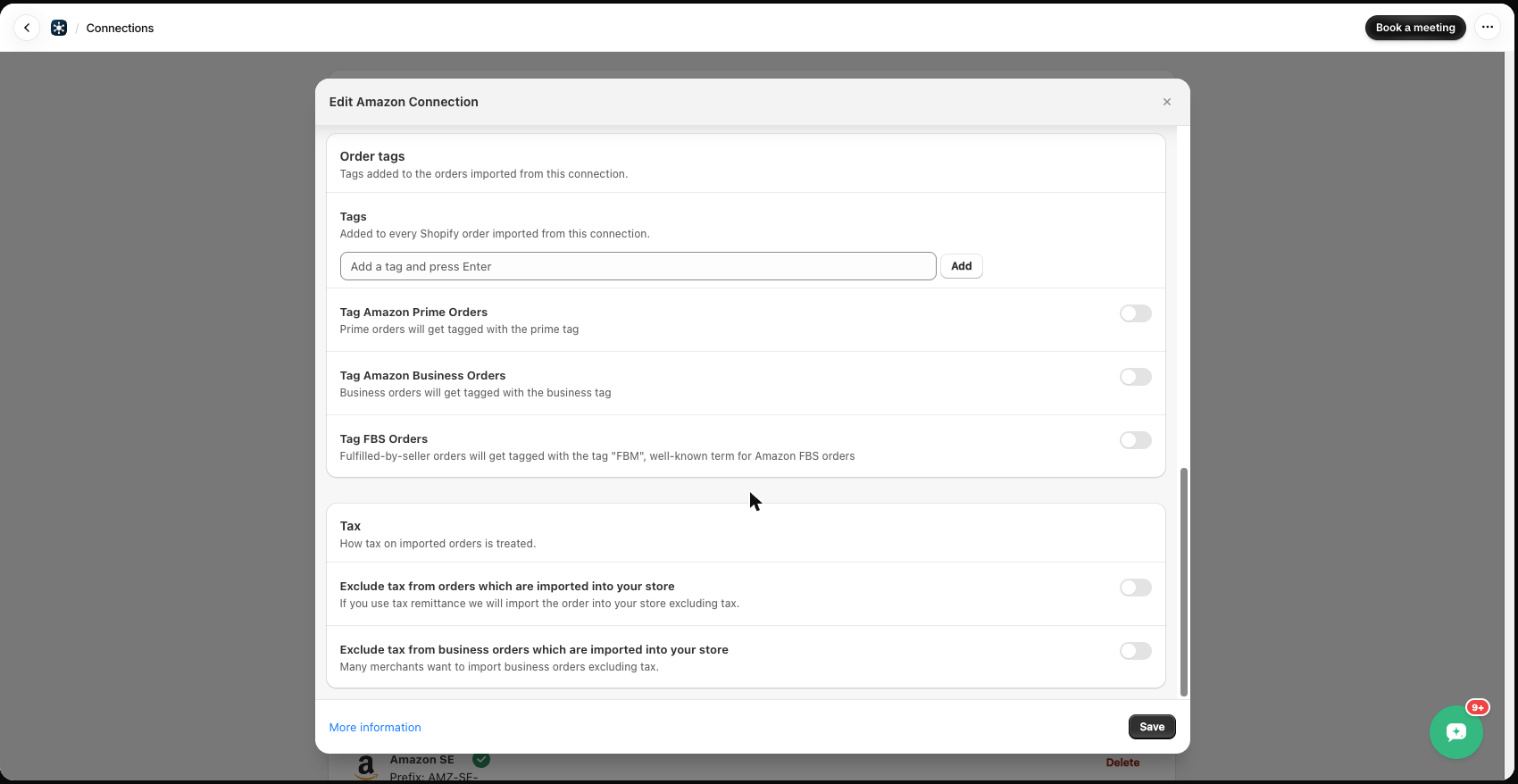
- Order tags – tags added to every Shopify order from this connection. Amazon: optionally tag Prime orders, Business orders and FBS orders (tag “FBM”).
- Tax (Amazon) – exclude tax from imported orders (tax remittance), or only from business orders.
Products
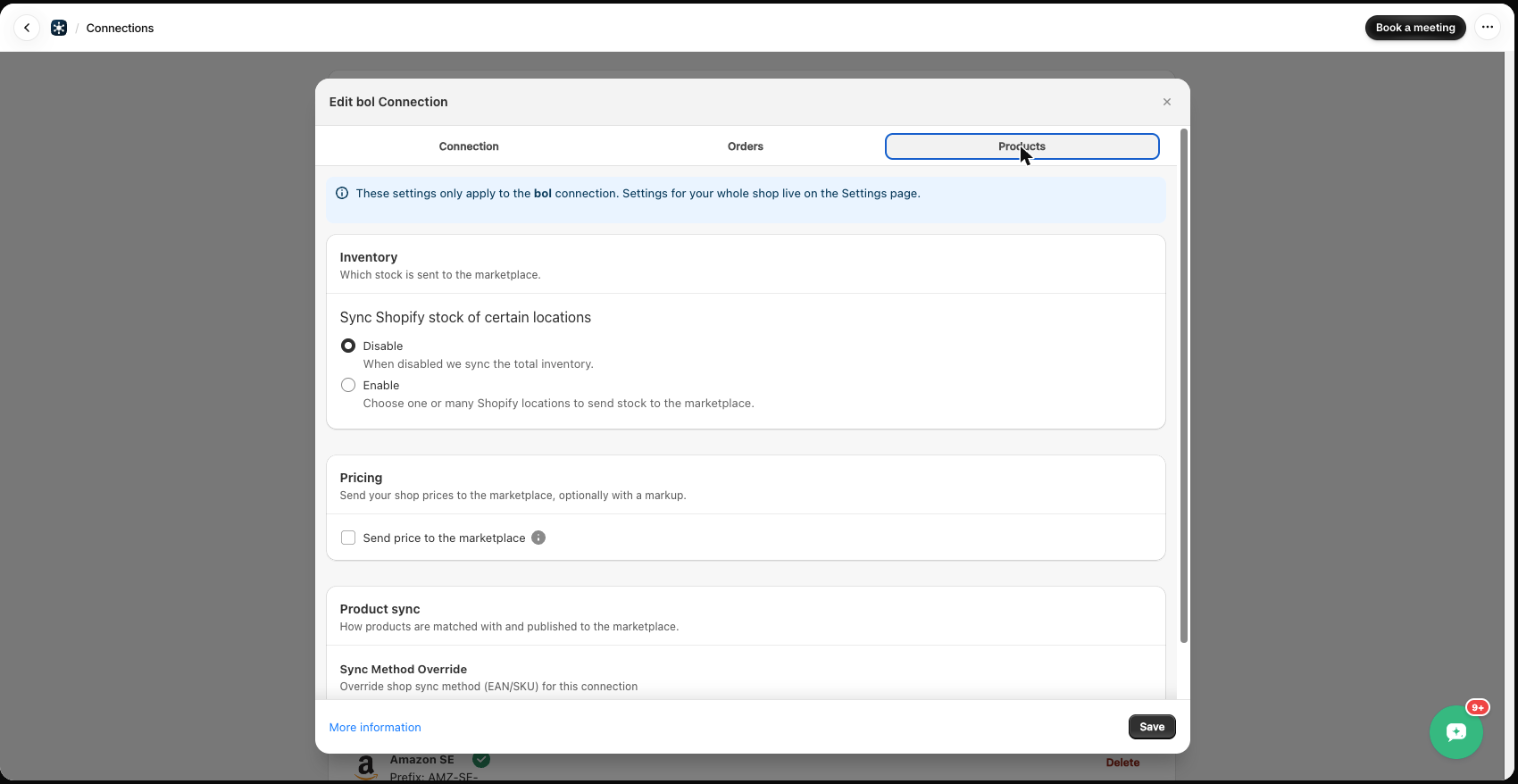
- Sync Shopify stock of certain locations – disabled: we sync total inventory. Enabled: choose one or more Shopify locations to send stock from.
- Only sync offers by fulfillment channel (Amazon) – sync all offers, or only FBA / FBM offers.
- Send price to the marketplace – push your Shopify prices to this marketplace, optionally with a markup percentage.
- Sync Method Override – match by EAN or SKU for this connection only, instead of the shop default.
Was this article helpful?
Thanks for your feedback!