
Settings

Written by Thomas Lang
Updated October 29, 2026
Settings apply to your whole shop. Settings for one marketplace connection live in that connection (see Connection settings). Use the search bar at the top to find a setting by name; All settings shows everything on one page.
Orders
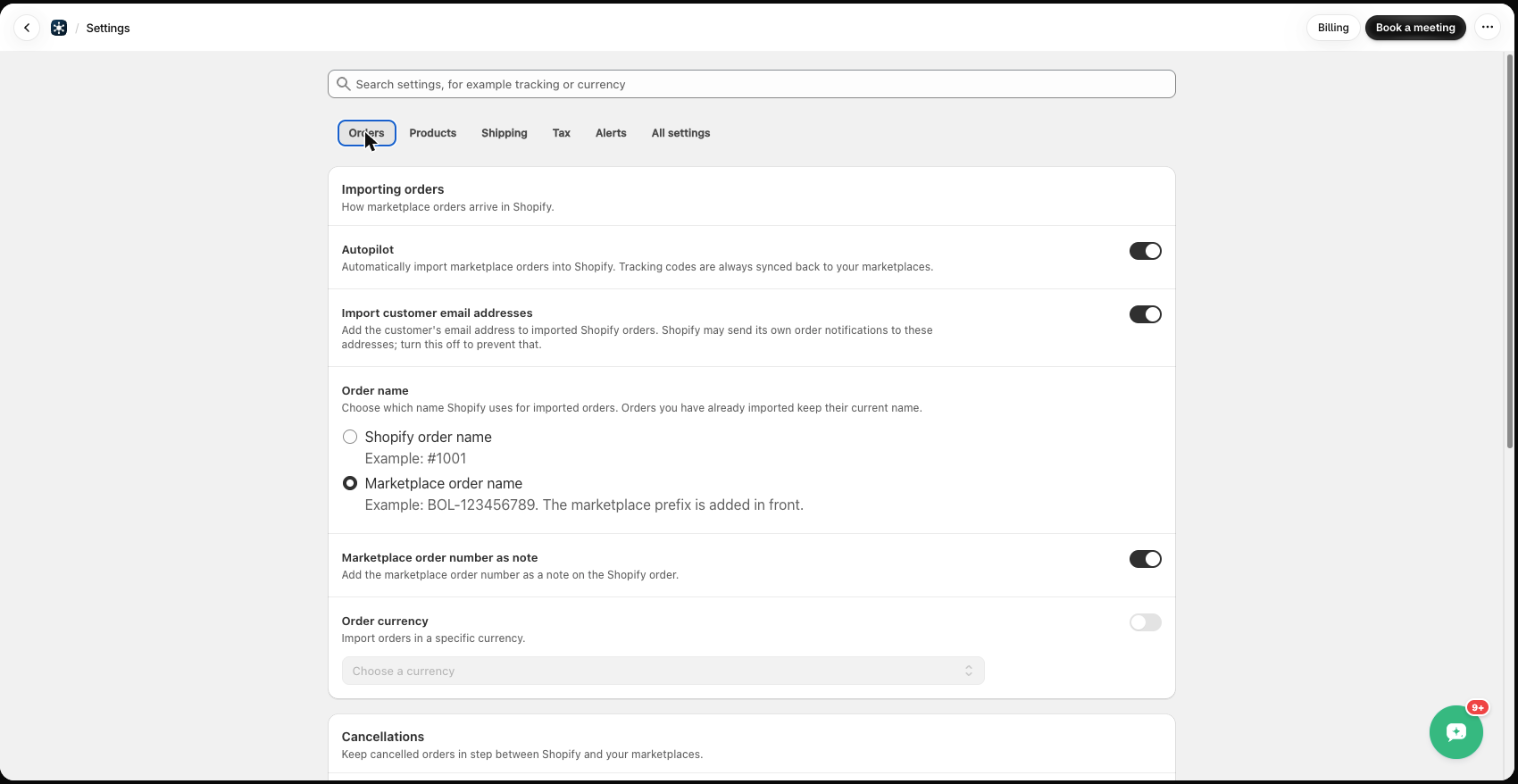
- Autopilot – automatically import marketplace orders into Shopify. Tracking codes are always synced back to your marketplaces. Make sure your products are linked first, otherwise imports will fail.
- Import customer email addresses – add the customer’s email to imported orders. Shopify may send its own order notifications to these addresses; turn this off to prevent that.
- Order name – Shopify order name (e.g. #1001) or Marketplace order name (e.g. BOL-123456789, the connection prefix is added in front). Orders already imported keep their current name.
- Marketplace order number as note – add the marketplace order number as a note on the Shopify order.
- Order currency – import all orders in one specific currency, e.g. EUR.
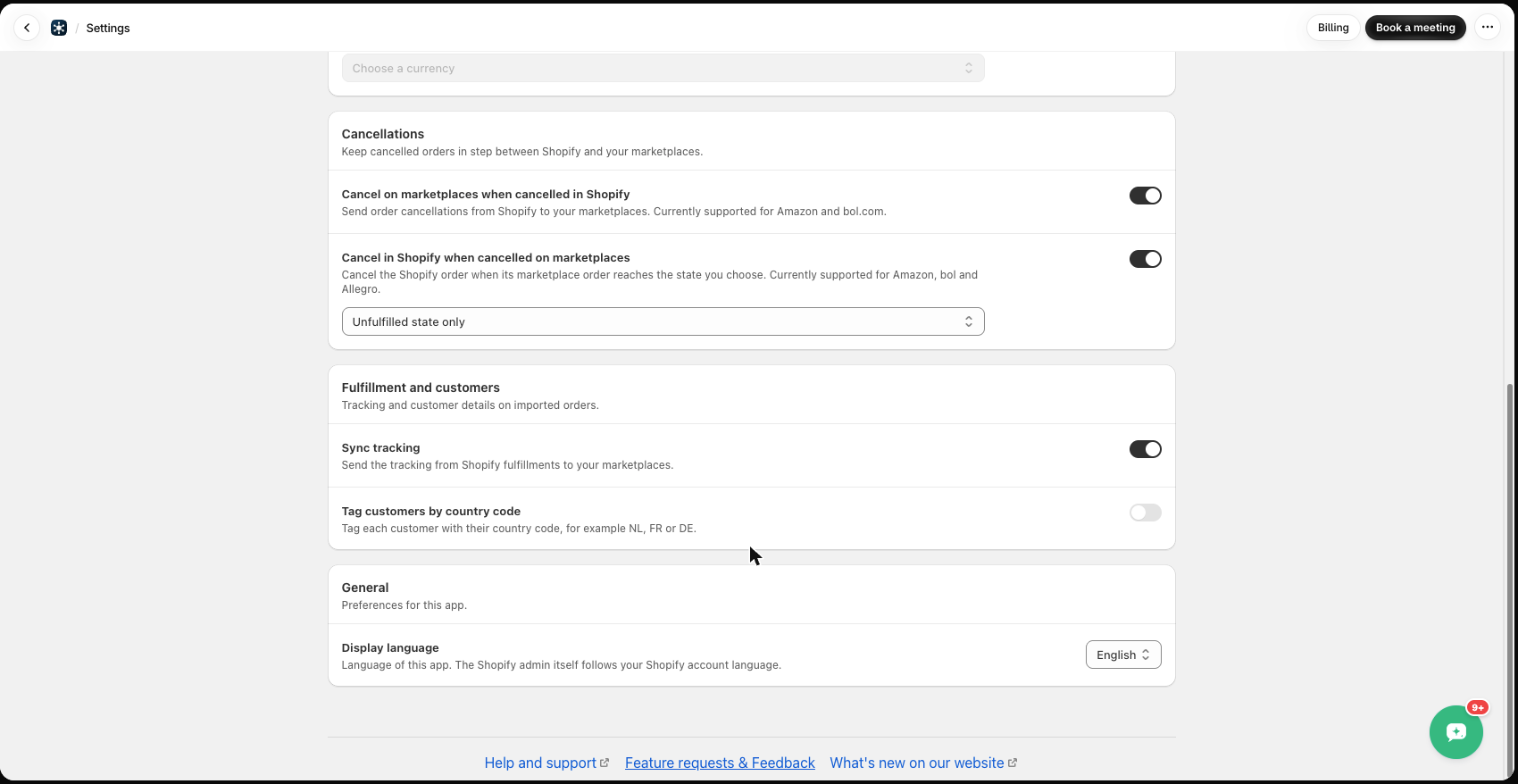
- Cancel on marketplaces when cancelled in Shopify – supported for Amazon and bol.com. See Order cancellations.
- Cancel in Shopify when cancelled on marketplaces – supported for Amazon, bol.com and Allegro. Choose in which state the Shopify order may be cancelled (e.g. unfulfilled only).
- Sync tracking – send the tracking from Shopify fulfillments to your marketplaces. The code must follow the marketplace’s rules (no spaces or special characters).
- Tag customers by country code – tag each customer with their country code, e.g. NL, FR or DE.
Products
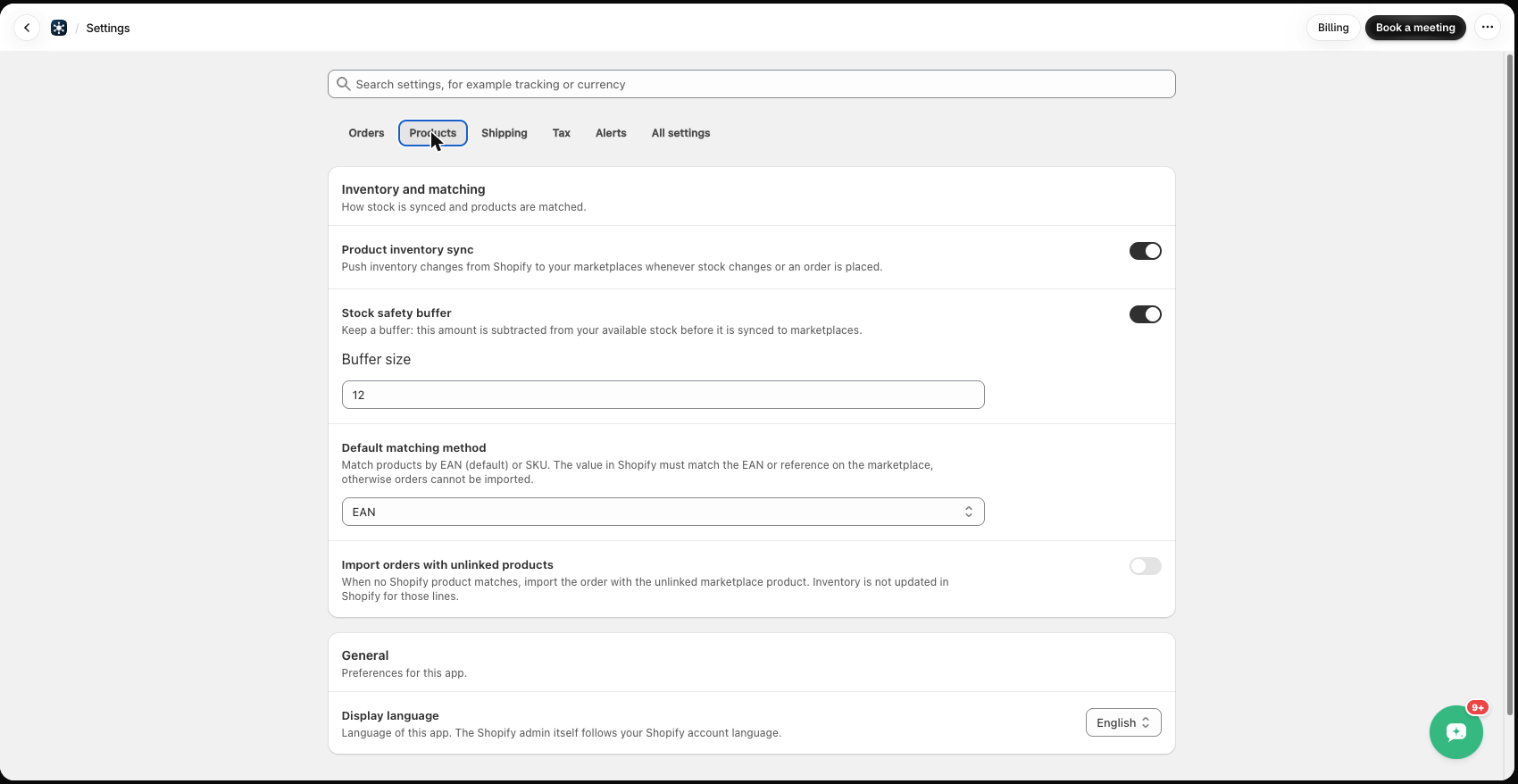
- Product inventory sync – push inventory changes from Shopify to your marketplaces whenever stock changes or an order is placed. This never publishes new products to a marketplace.
- Stock safety buffer – subtract a buffer from your available stock before syncing. Set the buffer size in the field below the toggle.
- Default matching method – match products by EAN (default) or SKU. The value in Shopify must match the EAN or reference on the marketplace, otherwise orders cannot be imported.
- Import orders with unlinked products – when no Shopify product matches, import the order with the unlinked marketplace product. Inventory is not updated for those lines.
Shipping
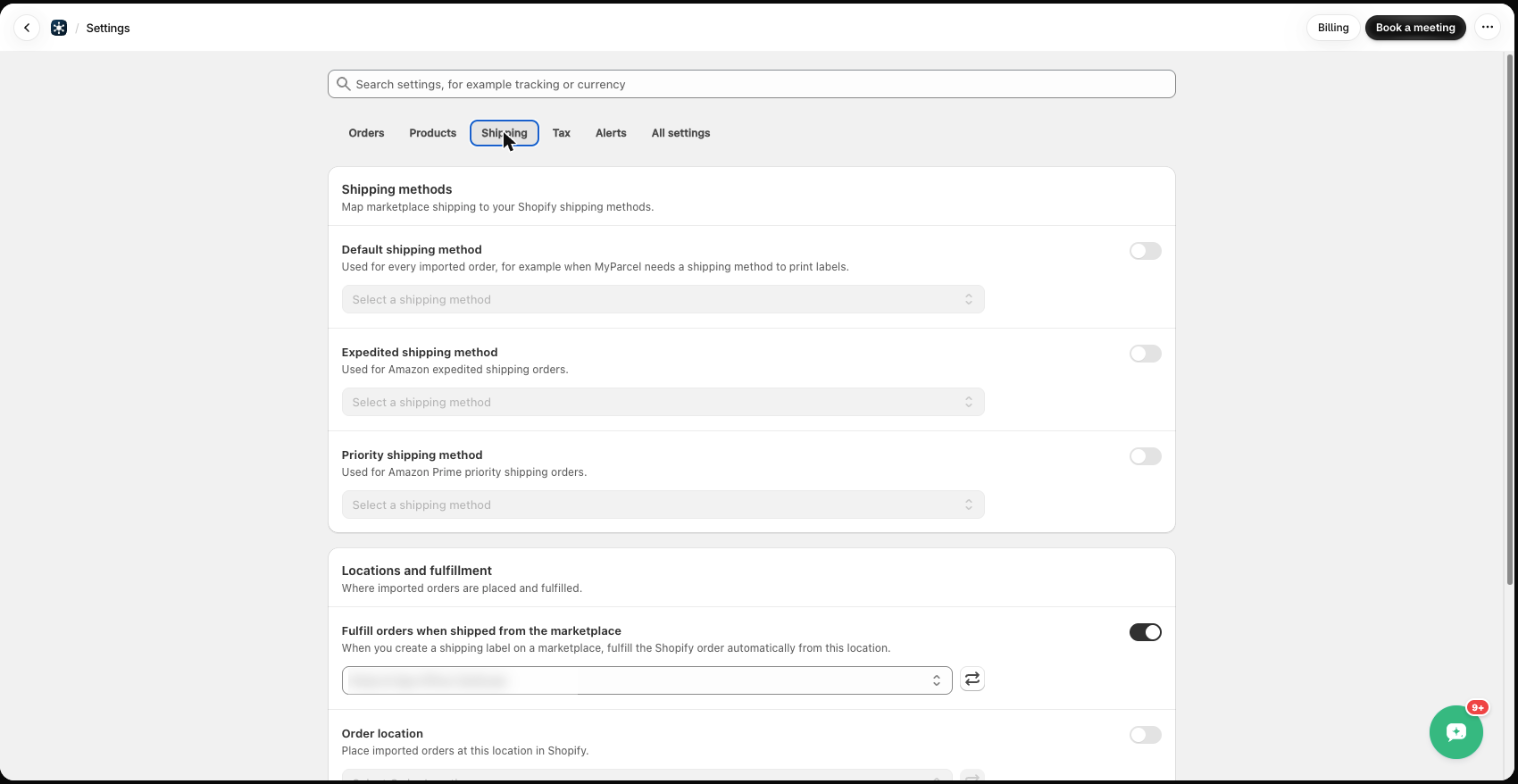
- Default shipping method – used for every imported order, for example when MyParcel needs a shipping method to print labels.
- Expedited shipping method – used for Amazon expedited orders.
- Priority shipping method – used for Amazon Prime priority orders.
- Fulfill orders when shipped from the marketplace – when you create a shipping label on a marketplace, the Shopify order is fulfilled automatically from the location you choose.
- Order location – place imported orders at a specific Shopify location.
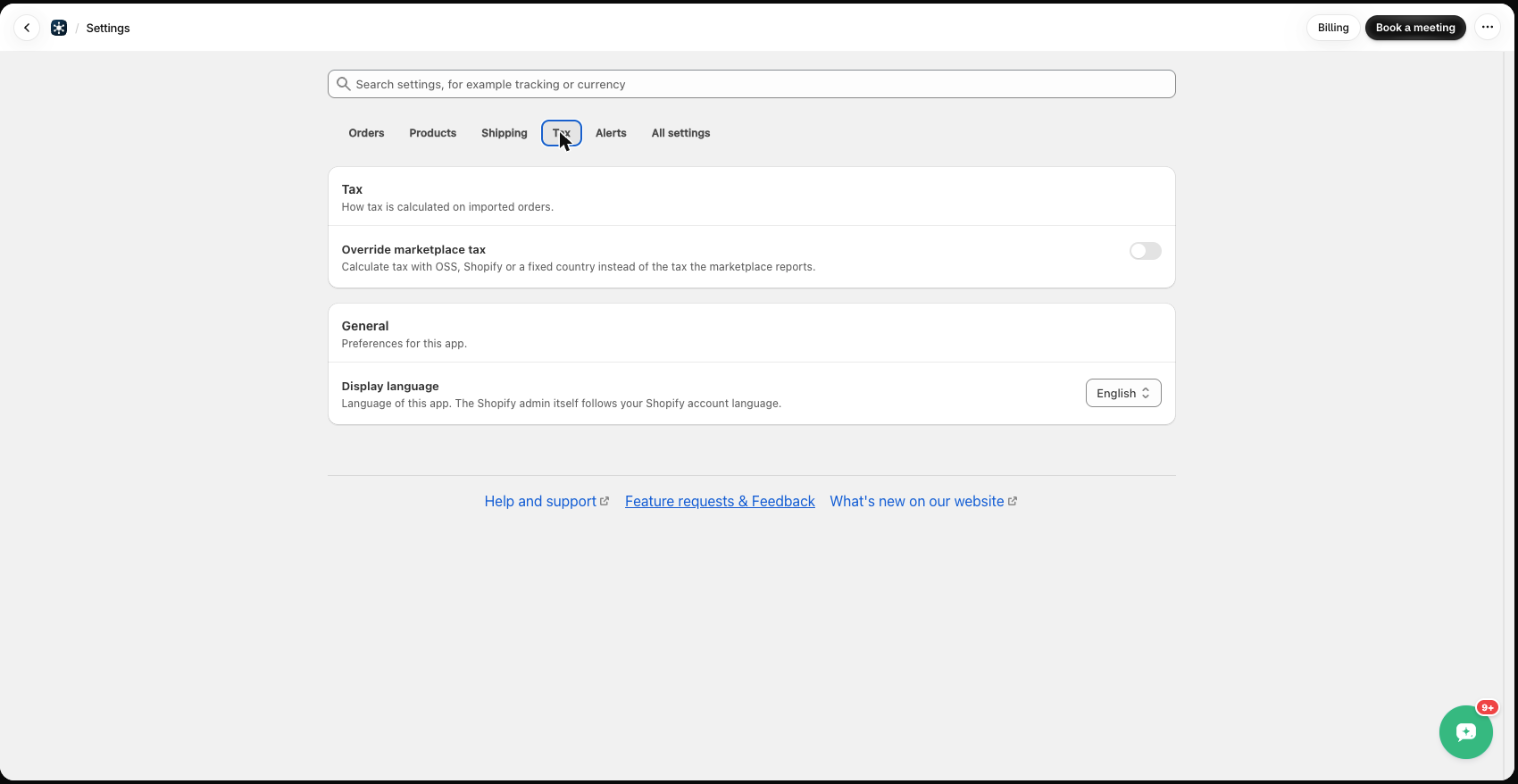
Tax
- Override marketplace tax – calculate tax with OSS, Shopify or a fixed country instead of the tax the marketplace reports.
Alerts
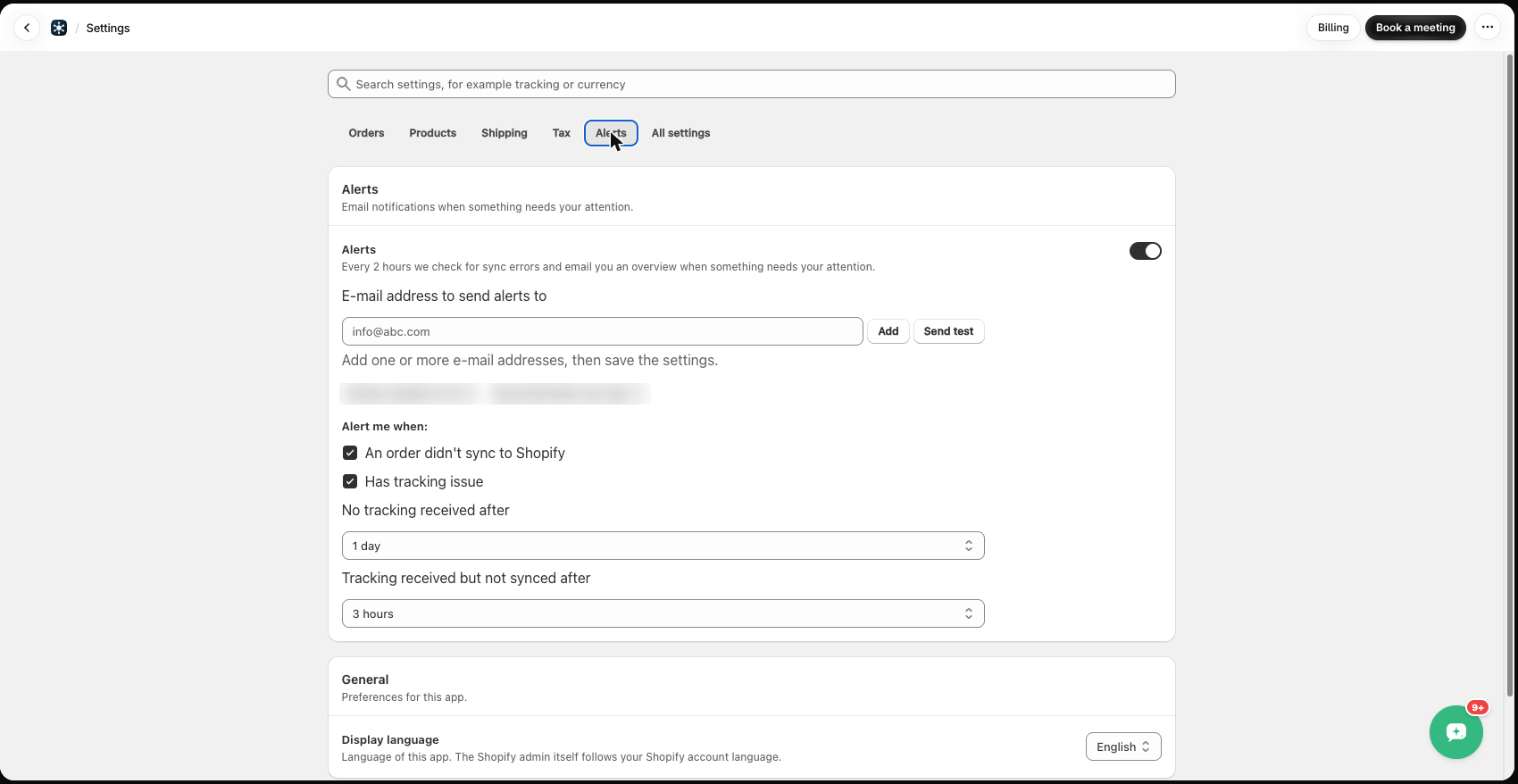
- Alerts – every 2 hours we check for sync errors and email you an overview. Add one or more e-mail addresses and use Send test to check. Choose when to be alerted: an order didn’t sync to Shopify, and/or tracking issues (no tracking received after X, tracking received but not synced after Y).
General
- Display language – language of the app. The Shopify admin itself follows your Shopify account language.
Was this article helpful?
Thanks for your feedback!