
 Marketplace Configurations
Connecting to Faire
Connect your Faire account to Market Sync by adding the connection and entering your Faire account details.

To add a Faire connection to Market Sync, go to Connections in the app menu, click Add marketplace and choose Faire.
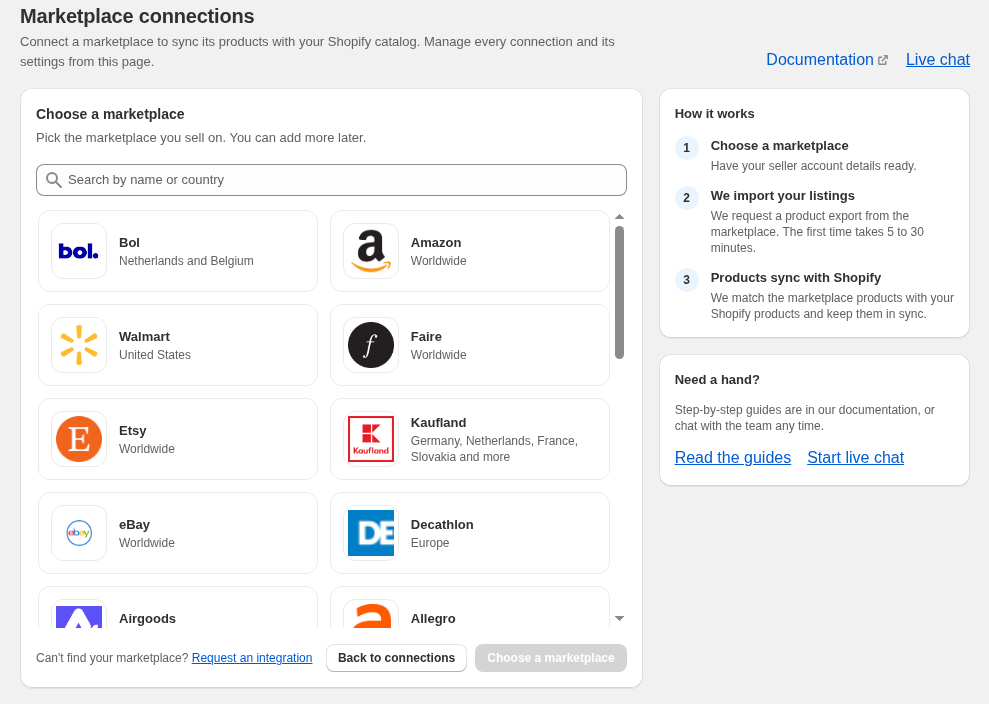
Step 1 - Add the connection
Open Connections, click Add marketplace, pick Faire from the list and click Connect Faire.
Step 2 - Connect to your Faire account
The Add Faire Connection window opens on the Connection tab.
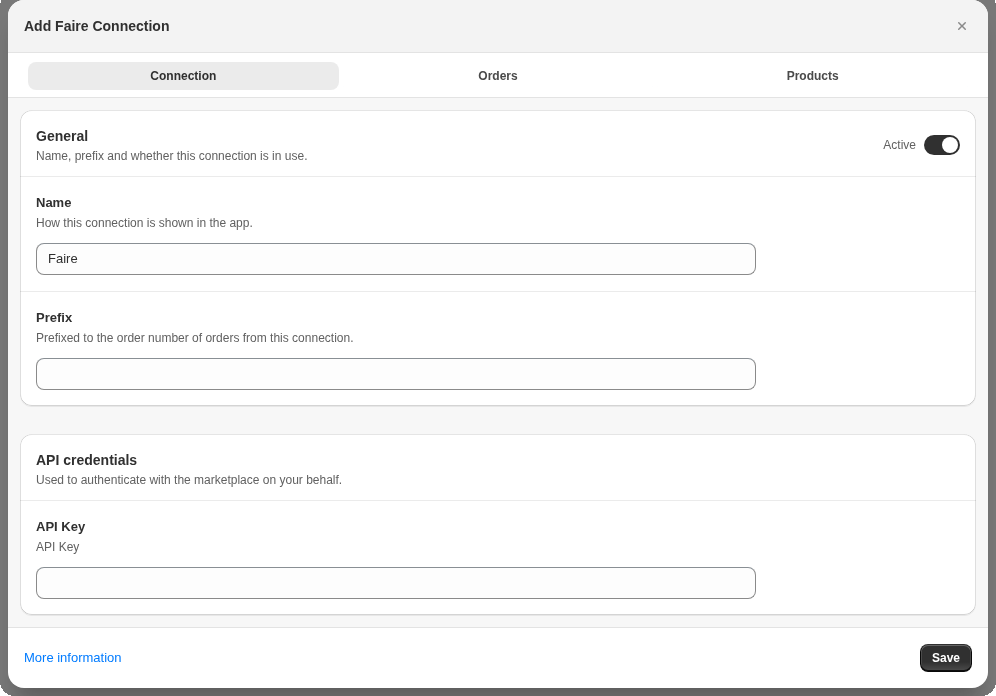
On the Connection tab, enter:
- Active — whether this connection is in use
- Name — How this connection is shown in the app
- API Key — the Faire API Key, in the API credentials section
Optionally, set a Prefix: this value is put in front of the order number of orders from this connection.
The window also has a More information link.
Click Save when you are done. You can close the window without saving by using the close control.
The app will now establish the connection with your Faire account.
Was this article helpful?
Thanks for your feedback!