
Connecting to Otto
Connect your OTTO Market seller account to Market Sync by logging in with OTTO Partner Connect and granting access. No API credentials needed.

You don’t need to request API credentials from OTTO: you simply log in with your OTTO Partner Connect account from Market Sync and install the app.
Step 1 - Add the connection
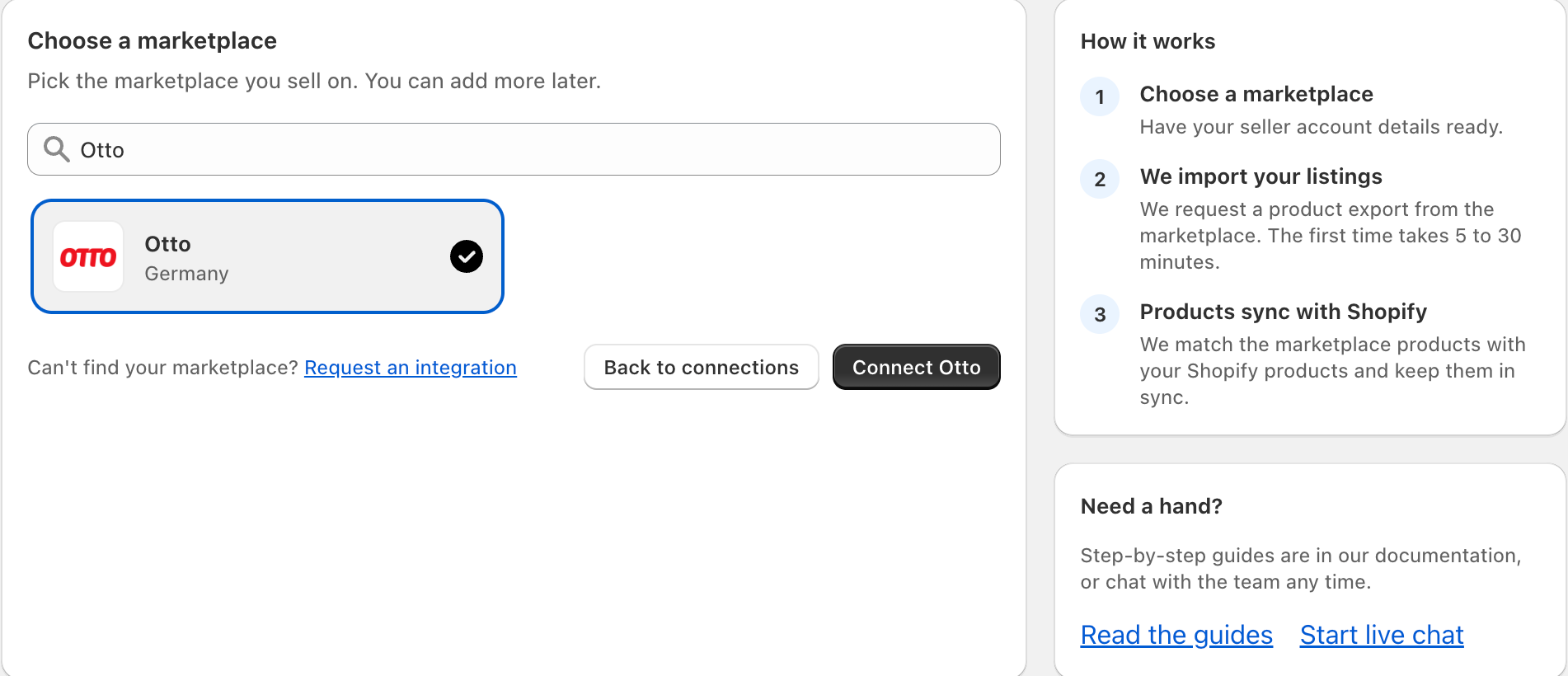
Go to Connections in the app menu, click Add marketplace and choose Otto from the list of marketplaces (you can use the search field to find it quickly). Then click Connect Otto.
Step 2 - Start the authorization
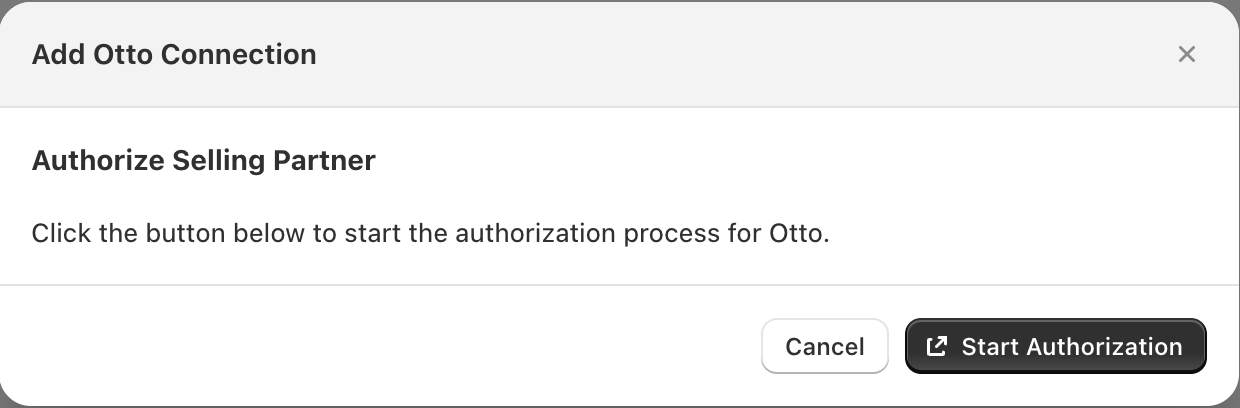
The Add Otto Connection window opens. Click Start Authorization. You will be sent to OTTO Partner Connect to log in.
Step 3 - Log in to OTTO Partner Connect
Log in with the email address and password of your OTTO Partner Connect (seller) account.
Step 4 - Install the app and allow access
OTTO shows the Market Sync app and the permissions it requests. Confirm the installation to grant access.
You are sent back to Market Sync and the connection is created.
Please note
After adding the connection, the app imports your products from OTTO and matches them with your Shopify products using the matching method set on the connection (EAN to Shopify barcode, or SKU). Once the products are successfully linked, the orders will be imported.
Settings such as the order number prefix, order tags and stock locations can be changed afterwards in the settings of the connection.
Was this article helpful?
Thanks for your feedback!